

Descripcion
Raoa LMS is a free, self-contained learning management system for WordPress. Create courses with sections, lessons, and quizzes; enroll students for free or sell courses with built-in Stripe, PayPal, and bank-transfer checkout; track progress through course completion; and manage everything from branded student and instructor dashboards.
LMS Features
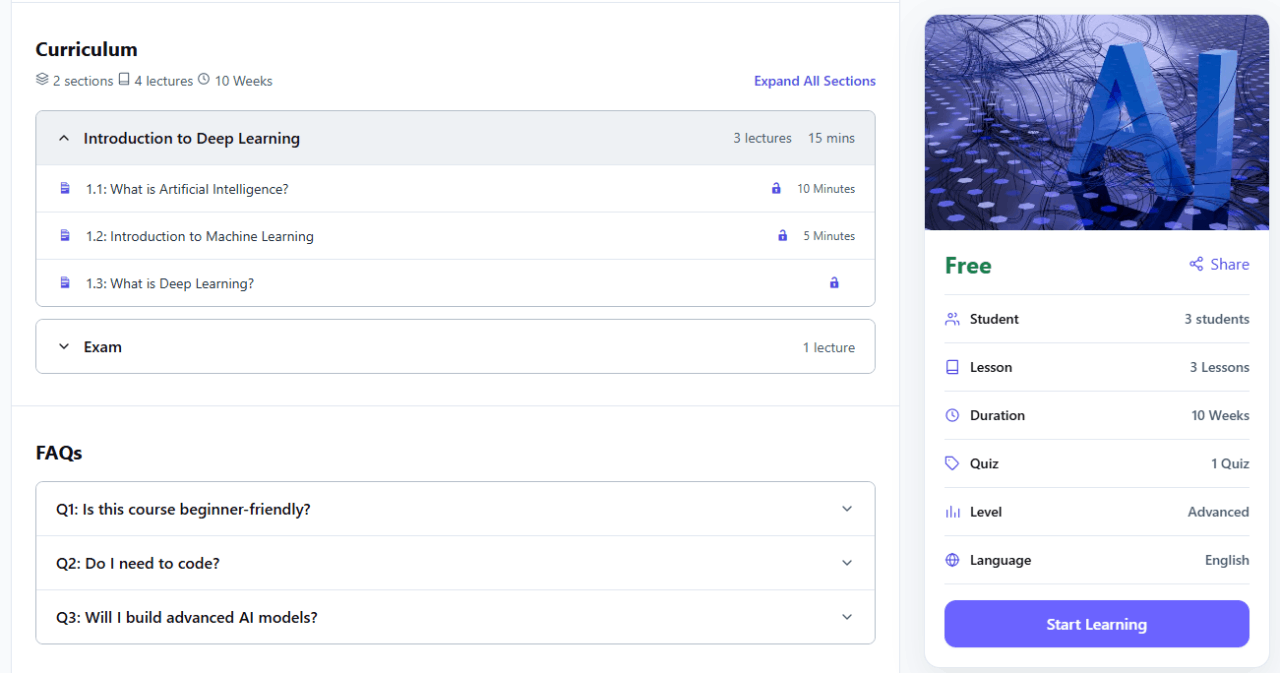
Courses & curriculum
✅ Organize courses into sections, lessons, and quizzes
✅ Curriculum builder works in the block editor (create lessons and quizzes directly in the curriculum builder)
✅ Course metadata: duration, difficulty, requirements, and learning outcomes
✅ Categories and tags for organizing the catalog
✅ Featured image / course thumbnail support
✅ Related courses carousel on the course single page (continuous loop, responsive columns)
Lessons
✅ Rich lesson content via the WordPress editor
✅ Optional video URL (YouTube, Vimeo, or direct file URL)
✅ Optional lesson duration
✅ Preview lessons for guests and non-enrolled visitors
Quizzes
✅ Multiple choice (single or multiple correct answers)
✅ True / false questions
✅ Passing score, retry limits, and attempt history
✅ Optional quiz timer (deadline stored when the attempt starts; late answers discarded on the server)
✅ Automatic grading with pass / fail results
✅ Correct answers never exposed in public HTML, JavaScript, or REST
Enrollment & progress
✅ Free one-click enrollment for logged-in students
✅ Paid courses with Buy now, checkout, and order history
✅ Track lesson completion and quiz progress
✅ Course completion when required curriculum items are done
✅ Progress tracking on the learning page and student dashboard
Payments & checkout
✅ Native checkout with Stripe Checkout, PayPal, and bank transfer
✅ Course pricing, sale price windows, and store currency settings
✅ Manage orders, mark payments as received, mark orders as refunded (unenrolls the student), and trash or restore orders
✅ Payment-received and new-sale email toggles
✅ Checkout page auto-created with [raoa_checkout]
Catalog & discovery
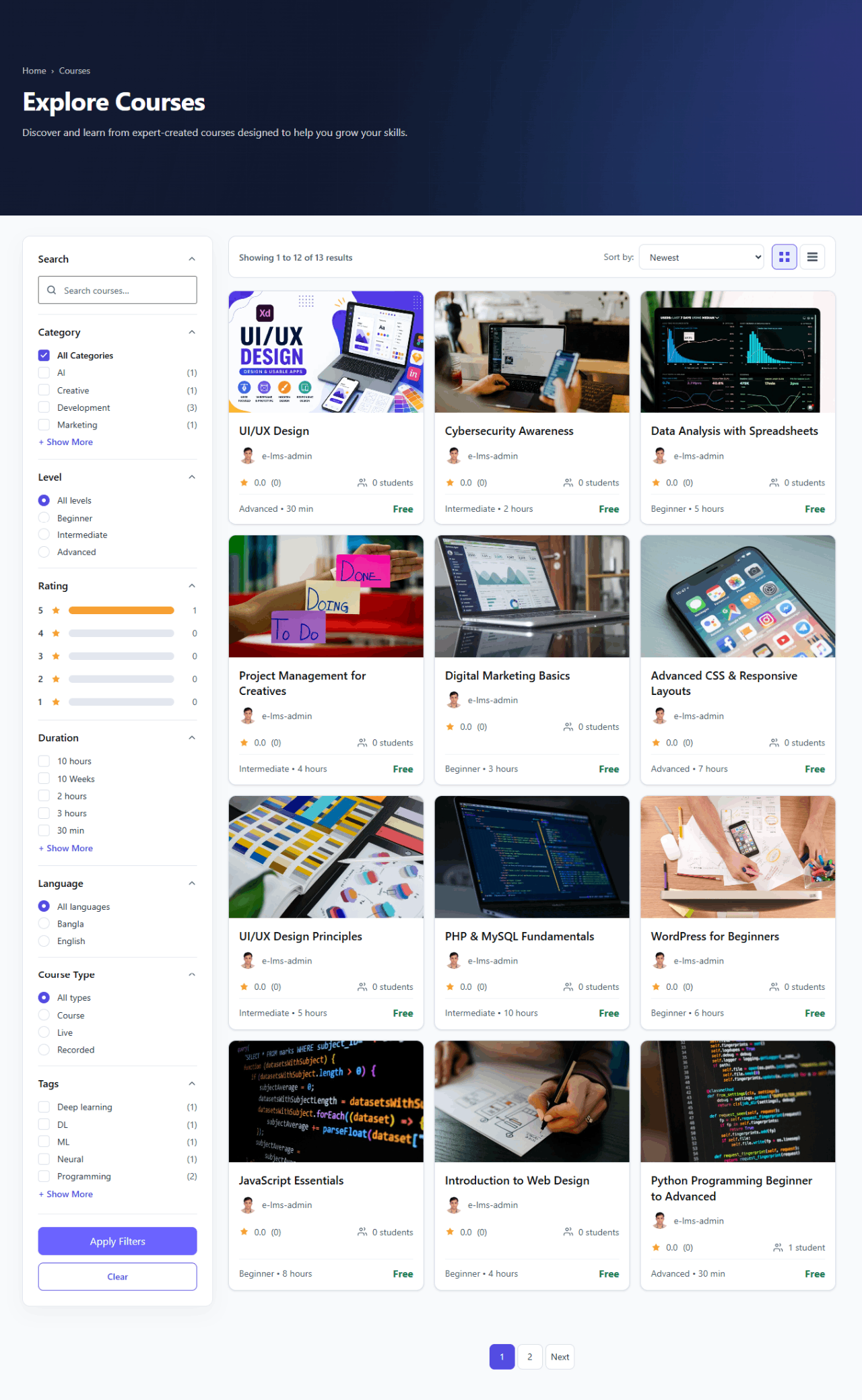
✅ Explore-style course archive with hero banner
✅ Sidebar filters (search, category, difficulty, rating, and more)
✅ Grid and list views with sorting
✅ Course reviews and ratings from enrolled students (when enabled)
✅ Embeddable course grids via [raoa_courses] with layout and filter attributes
✅ Embeddable instructor grids via [raoa_instructors] (portrait card, name, designation, learners, courses)
✅ Public instructor profiles at /instructor/{username}/ with paginated courses (name links from grids and course pages; Privacy opt-out)
Accounts & dashboards
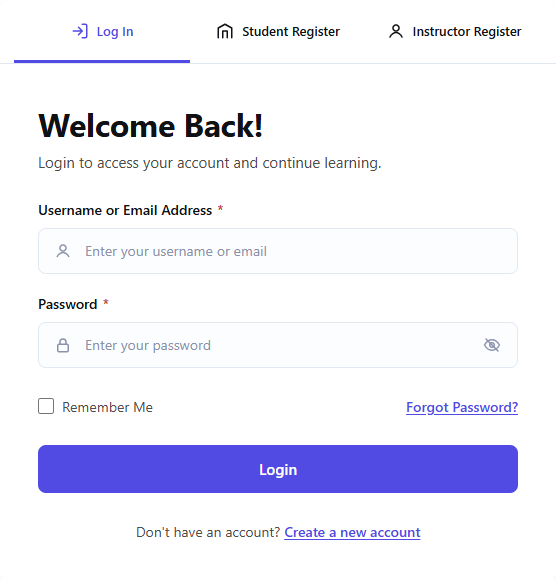
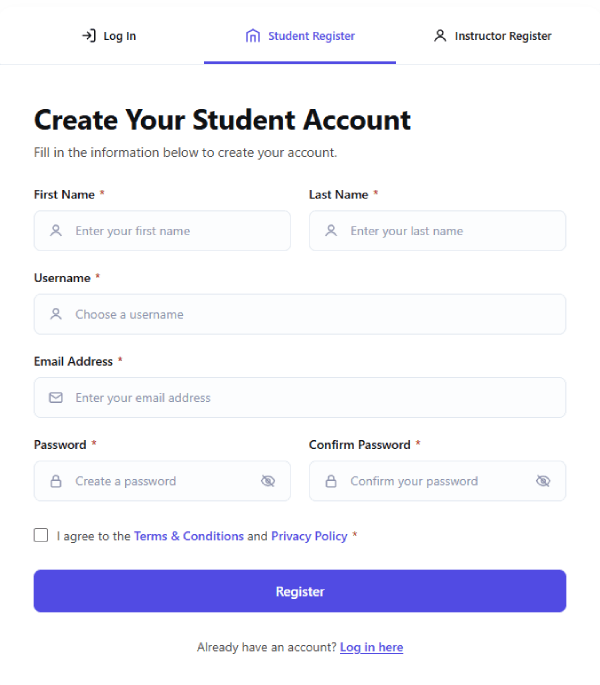
✅ Login, student registration, instructor applications, and password recovery
✅ Unified student and instructor account portal
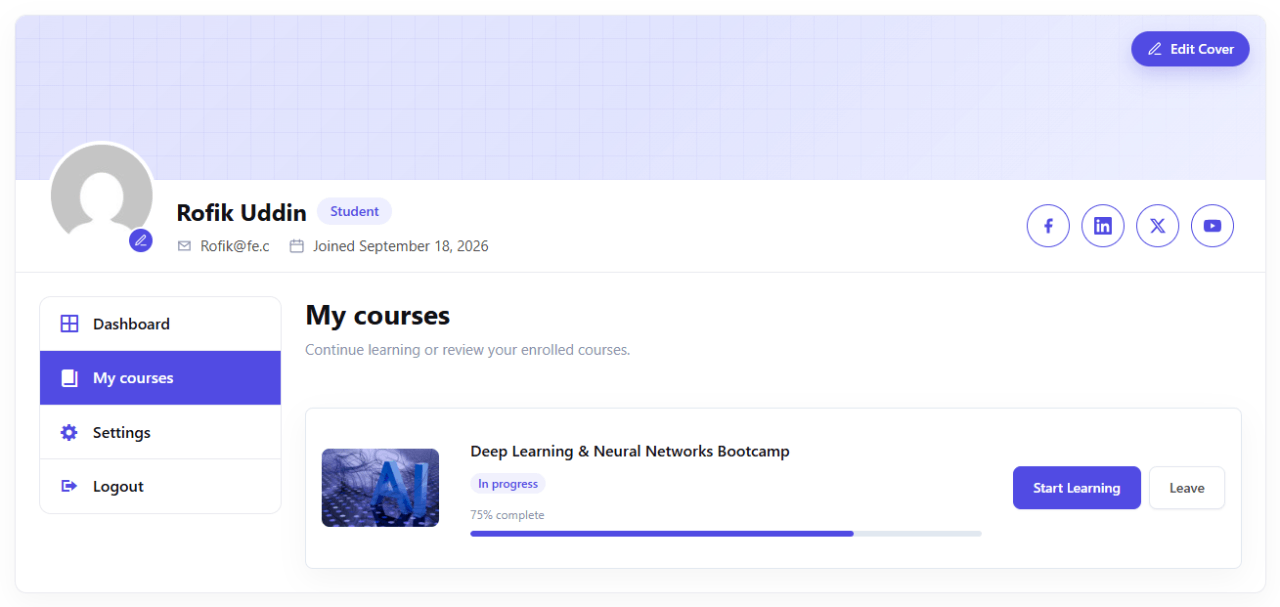
✅ Student dashboard: My courses, orders, and learning progress
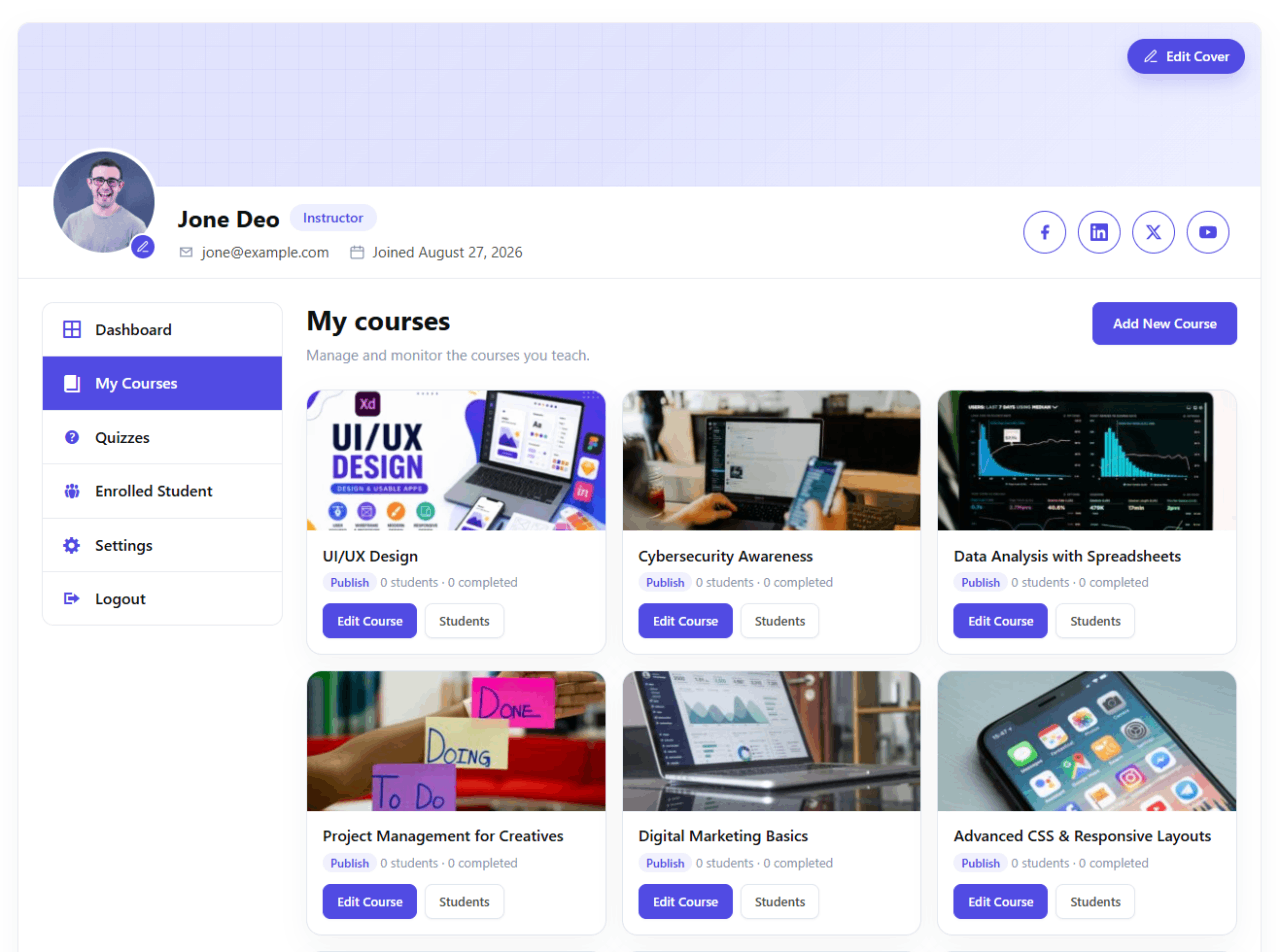
✅ Approved instructors can manage their own courses
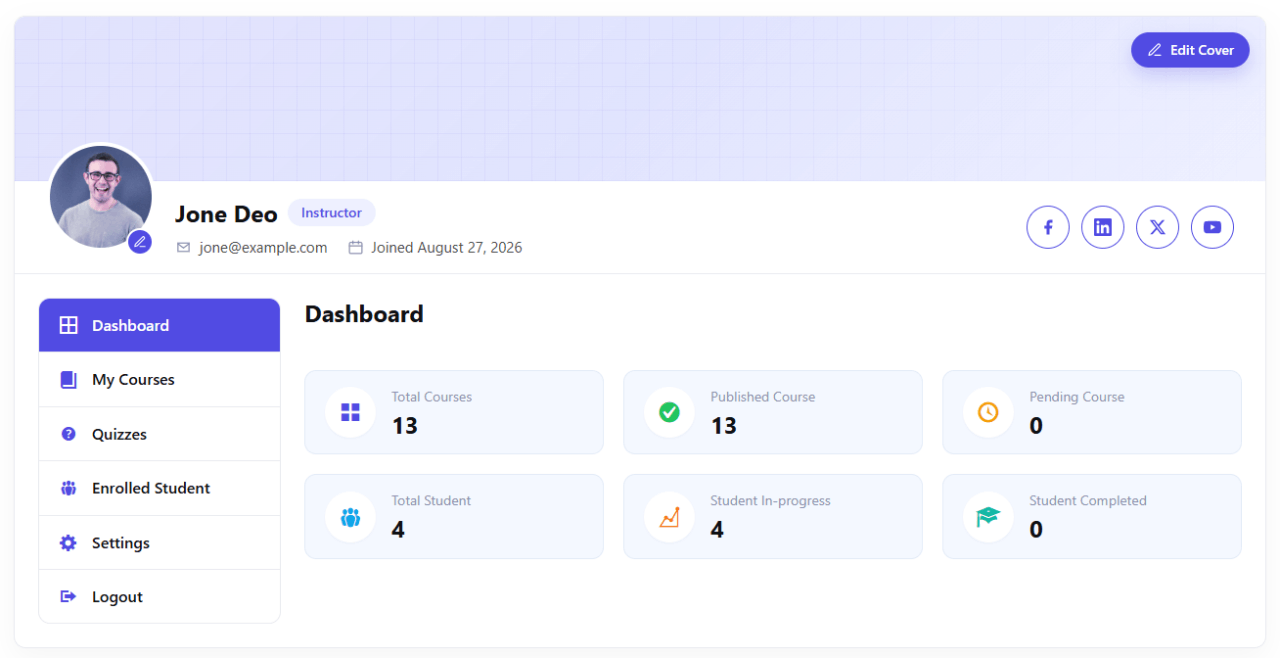
✅ Instructor dashboard: owned courses, sales orders, student counts, and basic progress
✅ Instructor profile: bio, avatar, designation, and expertise on the course page and public profile
✅ LMS pages auto-created and selected on activation
Admin & settings
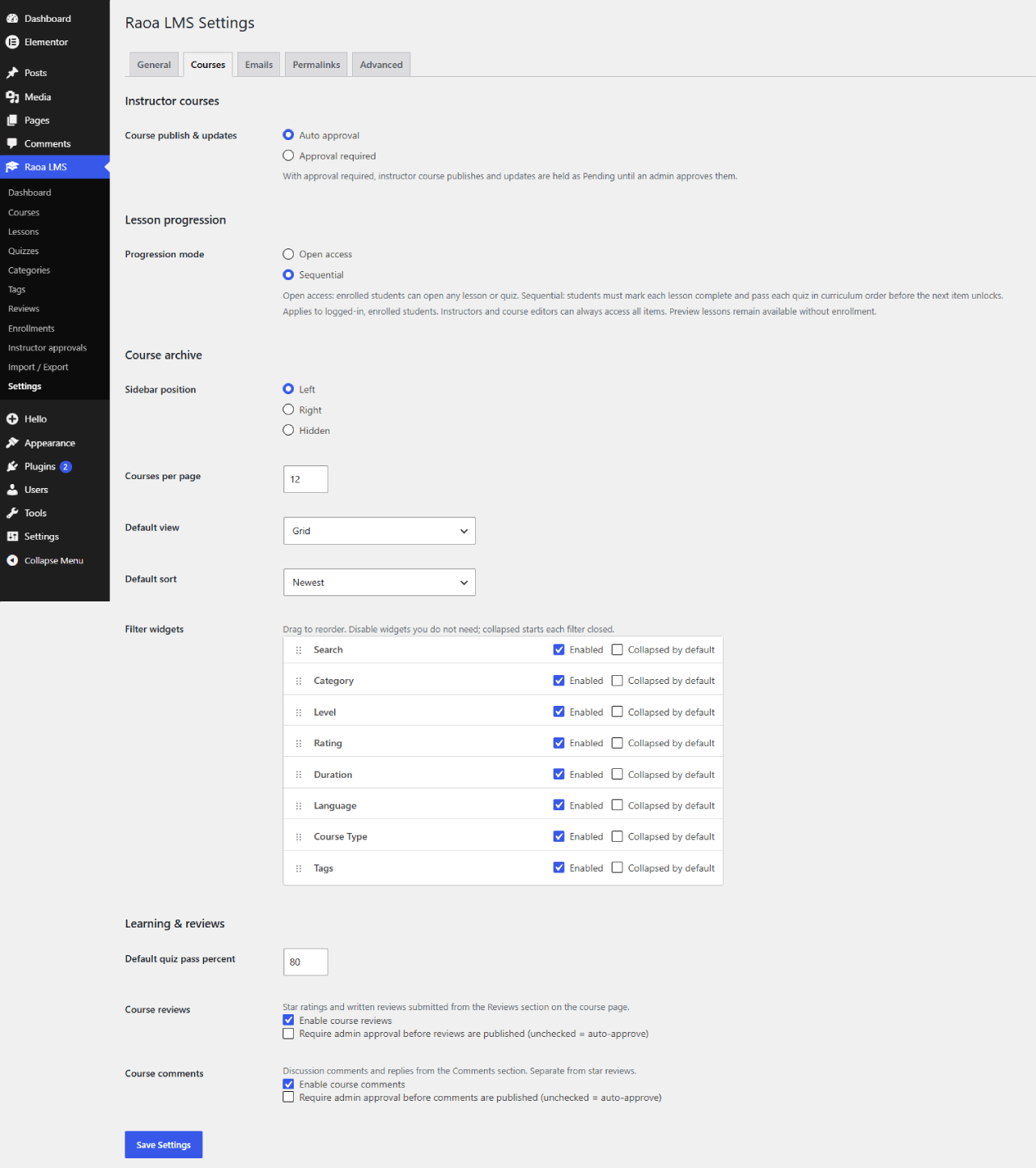
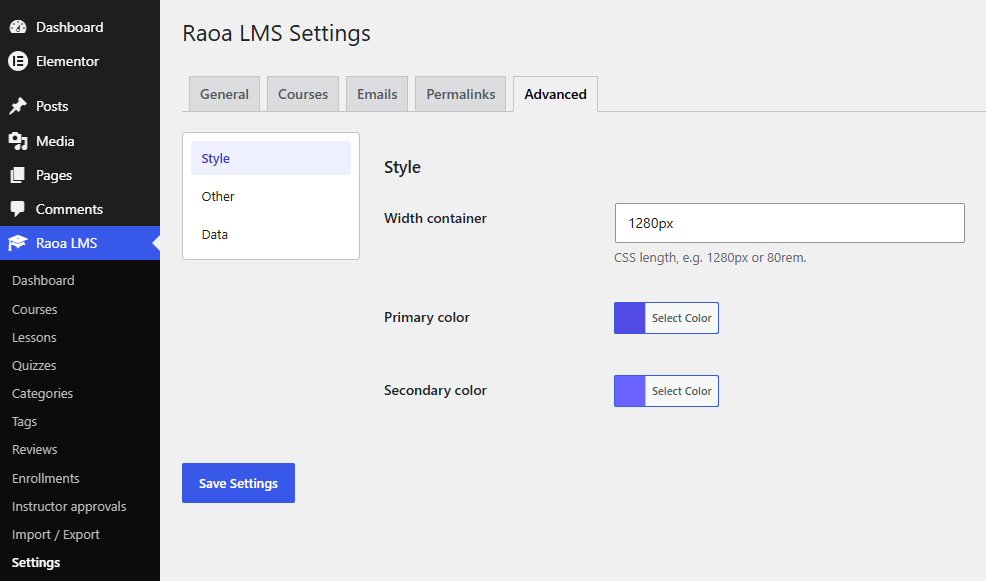
✅ Tabbed settings: General, Courses, Payments, Emails, Permalinks, Advanced
✅ Brand colors and archive filter configuration
✅ View enrollments / students (permission-aware)
✅ Import / Export: courses and settings as JSON packages; enrollments as CSV export
✅ Privacy exporters and erasers for enrollments, orders, progress, quiz scores, and profile data
✅ Suggested privacy-policy text under Settings Privacy
✅ Uninstall keeps student and course data by default (optional full wipe)
✅ Translation-ready text domain: raoa-lms
✅ REST namespace raoa/v1 for courses, enrollment, and progress (no quiz keys)
Shortcodes
Place any shortcode in a WordPress page or post. Most LMS pages are created automatically on activation.
[raoa_courses]— published course grid[raoa_instructors]— instructor grid[raoa_dashboard]— student / instructor portal[raoa_instructor_dashboard]— instructor portal alias[raoa_checkout]— course checkout (paid courses)[raoa_login]— login form[raoa_register]— student registration[raoa_register_instructor]— instructor application[raoa_lost_password]— lost password form[raoa_reset_password]— reset password form
Course Grid Shortcode Examples
[raoa_courses][raoa_courses columns="3" rows="2"][raoa_courses columns="4" limit="8" order="ASC" orderby="title"][raoa_courses category="design" order="DESC"][raoa_courses ids="12,34,56" orderby="ids"]
Instructor Grid Shortcode Examples
[raoa_instructors][raoa_instructors columns="3" rows="2"][raoa_instructors columns="4" limit="8" order="ASC"][raoa_instructors ids="2,5,9"]
External services
Raoa LMS can connect to third-party services when you enable them. The plugin does not send usage or diagnostic data to RaoaTech. Bank transfer checkout stays on your site and does not call a payment API.
- Stripe — Used when Stripe checkout is enabled. The site owner’s Stripe keys create Checkout Sessions and verify webhooks over HTTPS to Stripe. Data may include course amount, currency, order reference, and buyer email as required for payment. Terms: https://stripe.com/legal/ssa — Privacy: https://stripe.com/privacy
- PayPal — Used when PayPal checkout is enabled. The site owner’s PayPal credentials create orders and verify webhooks over HTTPS to PayPal. Data may include course amount, currency, order reference, and buyer email as required for payment. Terms: https://www.paypal.com/webapps/mpp/ua/useragreement-full — Privacy: https://www.paypal.com/webapps/mpp/ua/privacy-full
- YouTube — Optional lesson video embeds (oEmbed). When a visitor plays a YouTube URL, YouTube may collect data under its policies. Terms: https://www.youtube.com/t/terms — Privacy: https://policies.google.com/privacy
- Vimeo — Optional lesson video embeds (oEmbed). When a visitor plays a Vimeo URL, Vimeo may collect data under its policies. Terms: https://vimeo.com/terms — Privacy: https://vimeo.com/privacy
Screenshots





Installacion
- Upload the
raoa-lmsfolder to/wp-content/plugins/, or install the zip via Plugins Add New Upload Plugin. - Activate Raoa LMS.
- LMS pages (Courses, Dashboard, Checkout, Login, Register, and related) are created automatically when needed.
- Open Raoa LMS in wp-admin to create courses, lessons, and quizzes.
- Configure Raoa LMS Settings (Payments, archive filters, brand colors, and pages).
- Assign the instructor role, set free or paid pricing on courses, and publish.
- Optionally embed grids with
[raoa_courses columns="3" rows="2"]or[raoa_instructors columns="3"]. - After activating (or updating), visit Settings Permalinks Save once so instructor profile URLs (
/instructor/{username}/) resolve.
FAQ
-
Is this a full enterprise LMS?
-
No. Raoa LMS is a focused LMS: courses, lessons, quizzes, free or paid enrollment, Stripe/PayPal/bank checkout, progress, completion, and an account portal. Certificates, live classes, assignments, drip content, and marketplace instructor payouts are out of scope for this release.
-
Do I need a store plugin?
-
No. Built-in checkout supports Stripe, PayPal, and bank transfer using your own gateway keys.
-
Does this plugin call external services?
-
Only when you use them. Stripe and PayPal run when you enable those gateways and enter your own keys (payment and webhook traffic to those providers). YouTube or Vimeo may load when a lesson embeds their video URL. Bank transfer does not call a payment API. See External services in the Description for Terms and Privacy links. Raoa LMS does not send usage or diagnostic data to RaoaTech.
-
How do I show courses on a custom page?
-
Add the
[raoa_courses]shortcode. Control layout withcolumnsandrows(orlimit), sorting withorder/orderby, and filters withcategory,tag, orids. See the Course Grid Shortcode Examples above. -
How do I show instructors and their profiles?
-
Add
[raoa_instructors]for a grid of instructors who have published courses. Clicking a name opens/instructor/{username}/(cover, bio, expertise, social links, and a paginated course list). Instructors can turn the public page off under portal Settings Privacy. -
Can guests enroll?
-
No. Students must log in or register before enrolling. Preview lessons remain viewable without enrollment when enabled on a lesson.
-
What type of data does the plugin store?
-
- Enrollments — user, course, source, optional order ID, dates
- Orders — buyer, course, amount, currency, gateway, status, transaction id
- Progress — completed lessons and quizzes per course
- Quiz attempts — scores and pass/fail (not answer keys)
- Profile — biography, designation, expertise, social URLs, and instructor application flags
- Uploads — profile photo and cover image files owned by the user
Use WordPress Tools Export Personal Data / Erase Personal Data. Raoa LMS registers exporters and erasers for this data. Suggested privacy-policy wording is also added under Settings Privacy.
-
What happens if I uninstall?
-
By default, student and course data are kept. Enable Remove data on uninstall in Raoa LMS Settings before deleting the plugin if you want options, custom tables, LMS content, plugin roles, and pages this plugin created removed. Existing site pages that were only reused (including the WordPress Privacy Policy page) are not deleted.
Reviews
There are no reviews for this plugin.
Contributors & Developers
“Raoa LMS” is open source software. The following people have contributed to this plugin.
Contributors
Translate “Raoa LMS” into your language.
Interested in development?
Browse the code, check out the SVN repository, or subscribe to the development log by RSS.
Changelog
1.0.2
- Add paid course checkout with Stripe, PayPal, and bank transfer.
- Add course pricing / sale price fields, Buy now CTA, and checkout page shortcode.
- Add orders table, admin Orders screen, and student/instructor order views.
- Payment-received and new-sale email notifications.
- Expand
[raoa_courses]with columns, rows, limit, order, orderby, category, tag, and ids attributes. - Add
[raoa_instructors]grid shortcode (name, designation, learners, courses). - Add public instructor profiles at
/instructor/{username}/with paginated courses and name links from grids and course pages (Privacy opt-out). - Tested up to WordPress 7.1.
1.0.1
- Update plugin description.
- Fix related courses carousel continuous infinite loop on the course details page.
- Improve related course fill when same-category matches are limited.
- Fix creating lessons and quizzes from the course curriculum builder in the block editor.
1.0.0
- Initial public release.
- Courses, curriculum (sections / lessons / quizzes), free enrollment, progress, and completion.
- Optional quiz timer: the deadline is stored when the attempt starts and late answers are discarded on the server.
- Explore course archive: dark hero banner, sidebar filters, grid/list cards, reviews.
- Account system: login, student/instructor registration, password recovery, unified portal.
- Tabbed settings, auto-created LMS pages, import/export tools.
- Privacy exporters/erasers and suggested policy text; uninstall keeps data by default.
- Design-token frontend (course single, archive, portal, auth).
- REST namespace
raoa/v1for courses, enrollment, and progress (no quiz keys). - WordPress.org review hardening: enqueued scripts, lesson embed escaping, instructor approval required, admin menu position, i18n fixes.