

Descripcion
LeadInformer sends every website form submission and every new WooCommerce order to Telegram – to personal chats or groups – in addition to the usual email. Never miss a lead or an order because an email landed in spam.
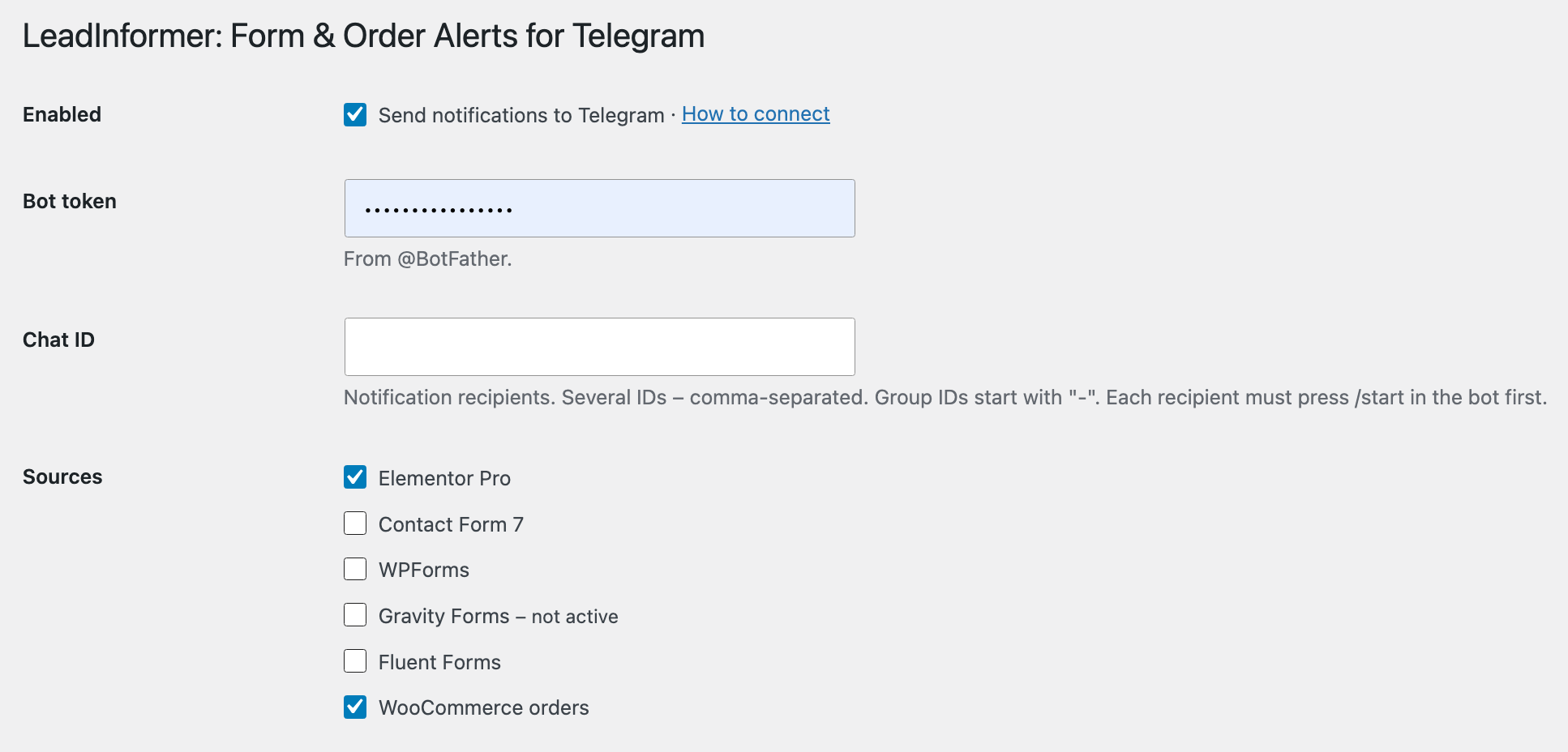
After activation, open Settings Lead Informer to connect your bot.
Supported form plugins:
- Elementor Pro (Form widget)
- Contact Form 7
- WPForms (Lite and Pro)
- Gravity Forms
- Fluent Forms
- WooCommerce (orders)
WooCommerce orders:
- Works with any checkout – classic, block checkout, orders created in admin, via REST API or by other plugins – and with any payment method.
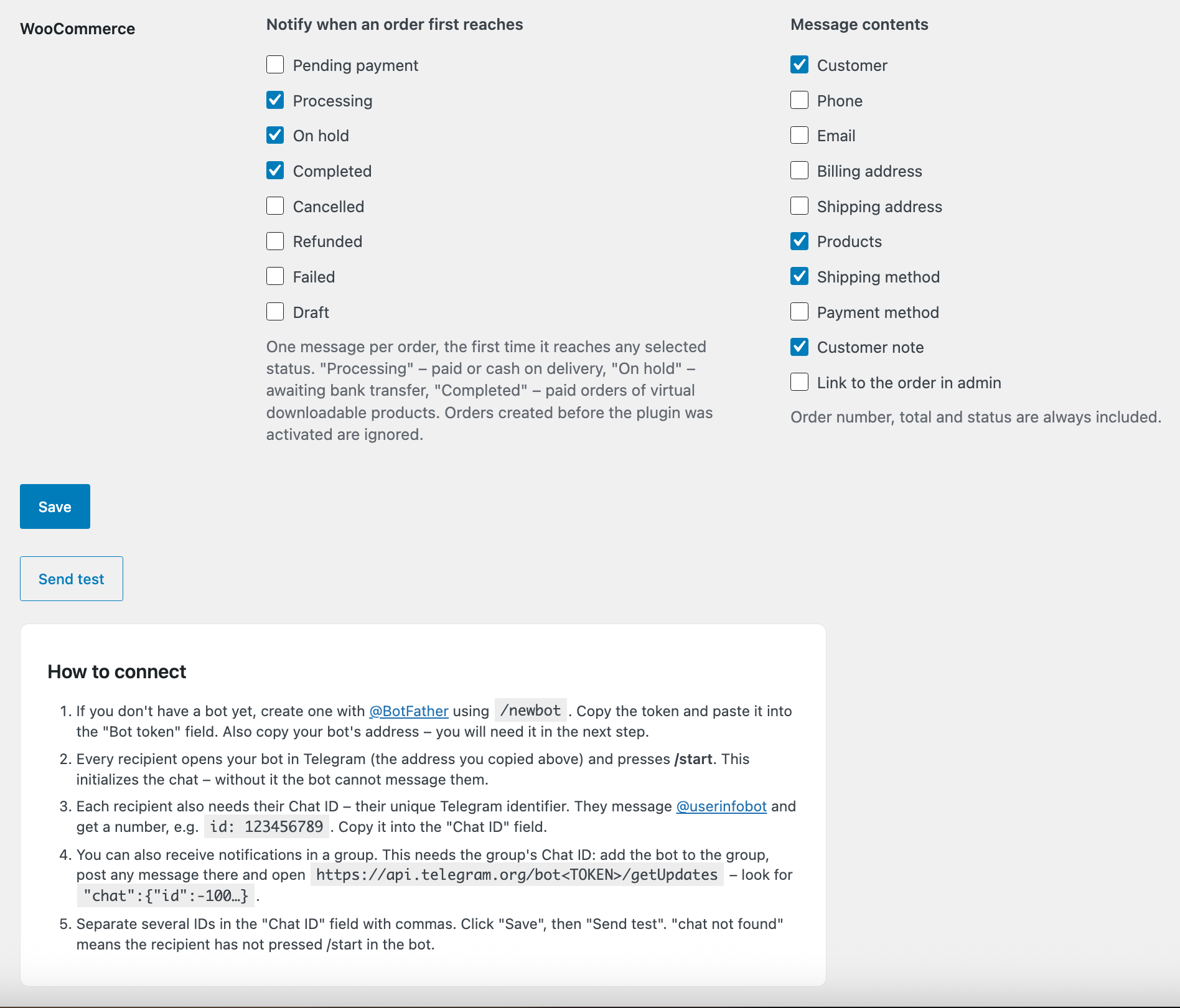
- One message per order – the first time it reaches any selected status (default: « Processing », « On hold », « Completed »). Orders created before activation are ignored.
- Choose what the message contains: customer, phone, email, billing and shipping address, products, shipping and payment method, customer note, link to the order in admin. Order number, total and status are always included.
- Compatible with High-Performance Order Storage (HPOS).
Features:
- Works with all forms of the enabled plugins – no per-form setup.
- Choose which form plugins send notifications.
- Send to one or several chats and groups (comma-separated chat IDs).
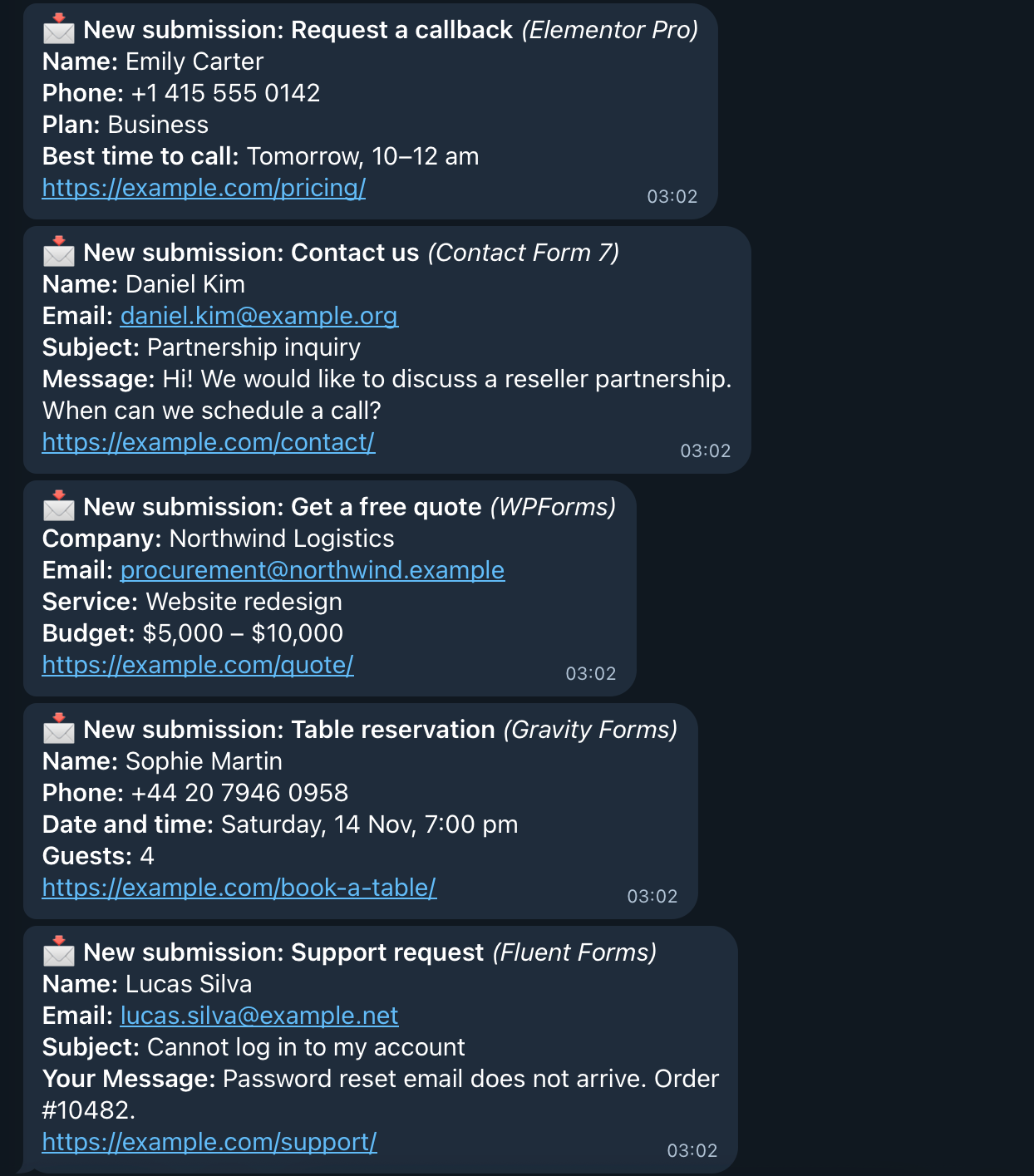
- Message contains the form name, all filled fields and the page URL.
- « Send test » button and the last delivery error shown on the settings page.
- Telegram failures never block the form or its email.
- Minimal settings page with a step-by-step connection guide.
External services
This plugin connects to the Telegram Bot API (https://api.telegram.org) to deliver notifications.
It sends data when a visitor submits a form of an enabled form plugin, when a WooCommerce order reaches a selected status (if WooCommerce notifications are enabled) and when an administrator clicks « Send test ». The request contains the bot token and chat ID you configured, the form name, the submitted field values and the page URL; for orders – the order number, total, status and the order details you selected in the settings (which may include the customer’s name, phone, email and addresses). Nothing is sent until you enter a bot token and chat ID.
The service is provided by Telegram: Terms of Service, Bot API Terms, Privacy Policy.
Screenshots
Installacion
- Install the plugin from the plugin directory or via Plugins Add New Upload Plugin, and activate it.
- Create a bot with @BotFather (
/newbot) and copy its token. - Each recipient opens the bot and presses /start.
- Go to Settings Lead Informer, enter the token and chat IDs, save and click « Send test ».
FAQ
-
How do I find my chat ID?
-
Message @userinfobot in Telegram – it replies with your numeric ID.
-
How do I send notifications to a group?
-
Add the bot to the group, post any message there and open
https://api.telegram.org/bot<TOKEN>/getUpdates. The group ID is in"chat":{"id":-100…}and starts with a minus. -
I get « chat not found ».
-
The recipient has not pressed /start in the bot, or the ID is wrong.
-
Does it work with the free Elementor?
-
Yes, if your forms are built with Contact Form 7, WPForms or Fluent Forms (free versions are enough) or Gravity Forms (commercial). Native Elementor forms work only with Elementor Pro – the Form widget is part of Pro.
-
Will I get a message when an order is paid later (bank transfer, online payment)?
-
Yes. Notifications follow the order status, not the checkout page. With the default statuses you get one message when the order is paid or confirmed (or placed with bank transfer / cash on delivery). Select « Pending payment » to be notified as soon as the order is placed, even before payment.
-
Are submissions stored by the plugin?
-
No. The plugin stores only its settings and the last delivery error. For WooCommerce orders it adds a hidden order meta field marking the order as reported, to avoid duplicate messages.
Reviews

Contributors & Developers
“LeadInformer: Form & Order Alerts for Telegram” is open source software. The following people have contributed to this plugin.
Contributors
Translate “LeadInformer: Form & Order Alerts for Telegram” into your language.
Interested in development?
Browse the code, check out the SVN repository, or subscribe to the development log by RSS.
Changelog
1.1.0
- New: WooCommerce order notifications – any checkout type, one message per order, selectable statuses and message contents.
- HPOS and block checkout compatibility declared.
1.0.0
- Initial release.